Online booking
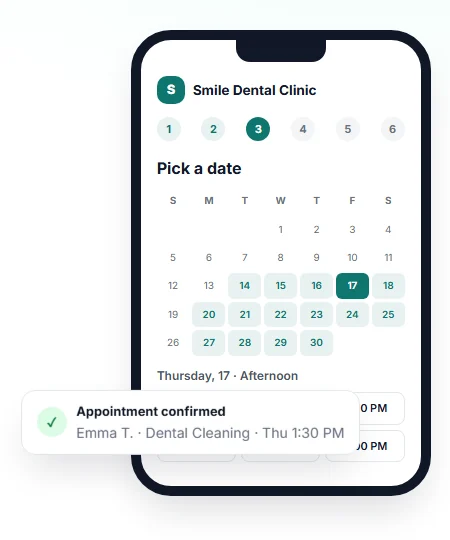
A six-step booking flow that only shows real openings, respecting clinic hours, dentist hours, breaks, holidays and buffers.
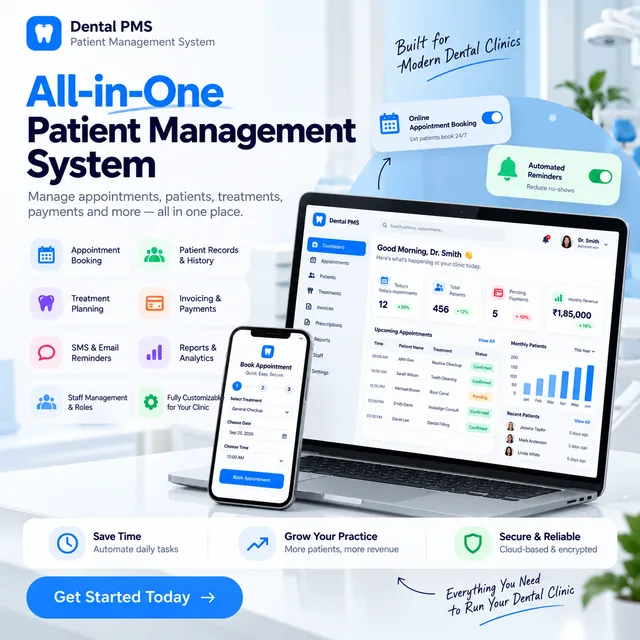
Manage your dental clinic's patients, appointments and daily workflow in one simple system.
For dentists, clinic owners and practice managers. We'll share demo access and answer your questions.
Thank you! We've received your request. Our team will contact you shortly with your PMS demo details.
Want to see the PMS now?
Open the PMS website Or try the live demo clinic →PMS overview
This dental patient management system brings online booking, a live appointment calendar and clean patient records into one fast app. Patients book real open slots themselves, appointments land on your calendar automatically, and your team manages the day from dashboards made for each role.
It focuses on the front-desk workflow that runs a clinic every day: scheduling, online booking and patient management.
Visit the PMS website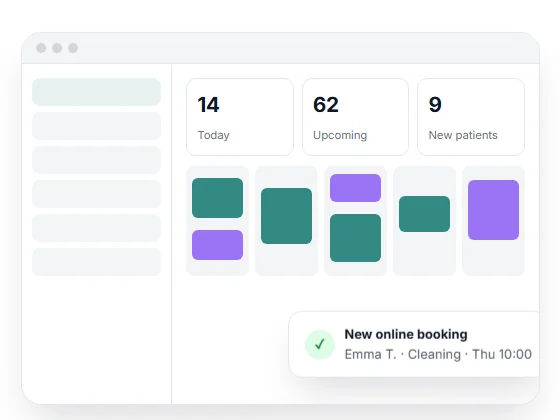
Key features
Everything below is part of the product today.
A six-step booking flow that only shows real openings, respecting clinic hours, dentist hours, breaks, holidays and buffers.
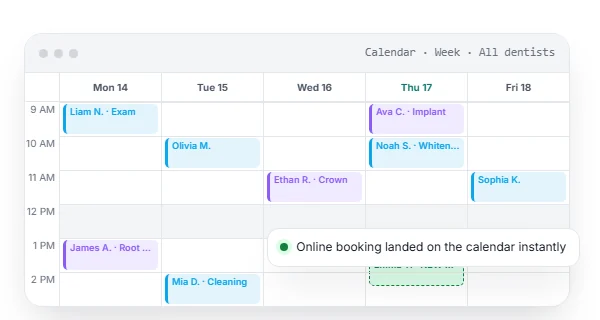
Day, week, month and agenda views. Drag to reschedule, click to book, colour-coded by dentist.
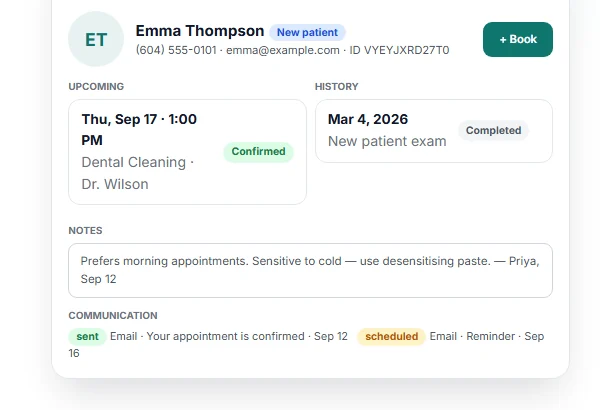
Search by name, phone, email or ID. See history, upcoming visits, notes and a communication log.
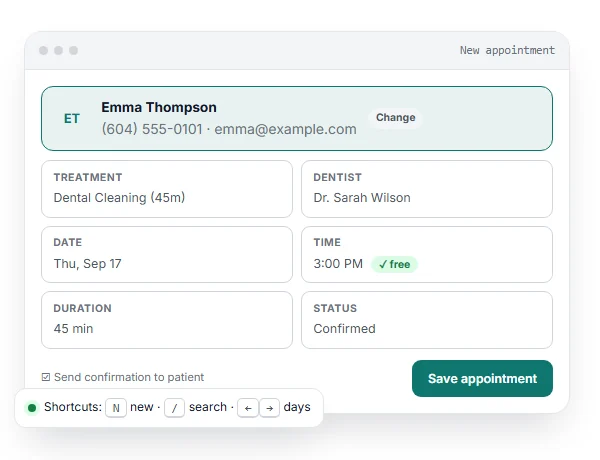
Today's schedule, check-in and quick new appointments with patient search and keyboard shortcuts.
Each dentist sees their own schedule and patients, updates statuses, adds notes and manages their hours.
Confirmations, 24-hour and same-day reminders, reschedule and cancellation notices by email, plus SMS when connected.
Your logo and colours on the booking page and every patient email.
Appointments by day, dentist, treatment, status and source, with no-show and cancellation rates and CSV export.
Role-based access for owner, admin, dentist and receptionist, per-clinic data isolation and an audit log.
Online scheduling
Patients choose a treatment, dentist, date and time, enter their details and get an instant confirmation, even when your clinic is closed. Bookings only fall inside your working hours.
Patient management
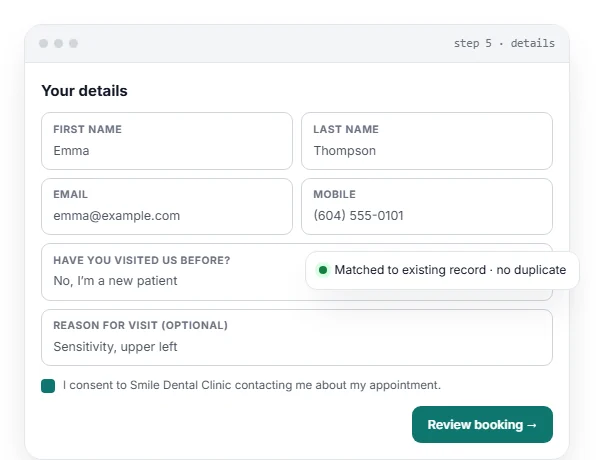
Online bookings create or update patient records automatically. Returning patients are matched by email or phone, so you don't end up with duplicates.
Appointment management
Drag an appointment to reschedule it; conflicts are rejected with a clear message and the patient is emailed the new time. Click an empty slot to book. Reception can still add walk-ins and off-grid times.
Clinic workflow
Each person in the clinic gets the view they need.
Today's schedule, check-in, and a new appointment in a few clicks with a live "time is free" check before saving.
Their own schedule and patients, status updates, notes, and control over their working hours and time off.
Everything across the clinic, reports by dentist, treatment and source, and role-based access for the team.
Product screens
Screens from the live demo clinic.
How it works
Why dental clinics use a PMS
Appointments, patient details and notes live in one system instead of registers, spreadsheets and chat threads.
Availability is calculated from real hours and existing appointments, so two patients can't take the same slot.
A booking link lets patients request or confirm visits outside clinic hours.
Reception, dentists and owners work from the same live calendar on desktop, tablet or phone.
Request a free demo. We'll share access and walk you through it.
FAQ
A dental practice management system (PMS) is software that runs a clinic's front-desk workflow. This one covers online booking, the appointment calendar, patient records, reminders, reports and role-based dashboards.
Yes. Reception books, reschedules and checks patients in from the calendar, and patients can book online through your clinic's booking page. Both use the same availability engine, so they never conflict.
Patients pick a treatment, dentist, date and time, then enter their details. Only real openings inside your hours are shown. Bookings can be confirmed automatically or arrive as requests for reception to confirm.
Yes. Request a free demo using the form on this page. Every clinic can also start with free test bookings and no card required.
Submit the form with your name, email, contact number and clinic name. Our team will contact you with your demo details.
Single-dentist practices, clinics with several dentists, and groups with more than one location. It works on desktop, tablet and phone as an installable web app.
Yes. Online booking can be added to WordPress, Elementor, Shopify, Webflow, Squarespace or plain HTML with one line of code.
The current version focuses on scheduling, online booking and patient management. Clinical modules such as charting and treatment plans are planned.
Contact us for demo and pricing information.
Request your free dental PMS demo in under a minute.
Get My Free Demo